Timesheet app for cleaners: log each house and send each client an invoice
Quick answer: Use Time Card: add each household or office as a client with its own hourly rate, log the start and finish of every clean on the day, and at the end of the week or month send each client a PDF invoice with the dates, hours, rate and total. It works offline, needs no account and is free for two clients.
Get Time Card on the App Store Time Card hours tracker app (formerly Timesheet Pro). Free for iPhone and iPad.
Cleaning work is easy to under-bill. One house takes three and a half hours instead of three, an office adds a room, a client asks you to stay longer to do the oven, and none of it gets written down. At the end of the month you are adding up from memory and texts.
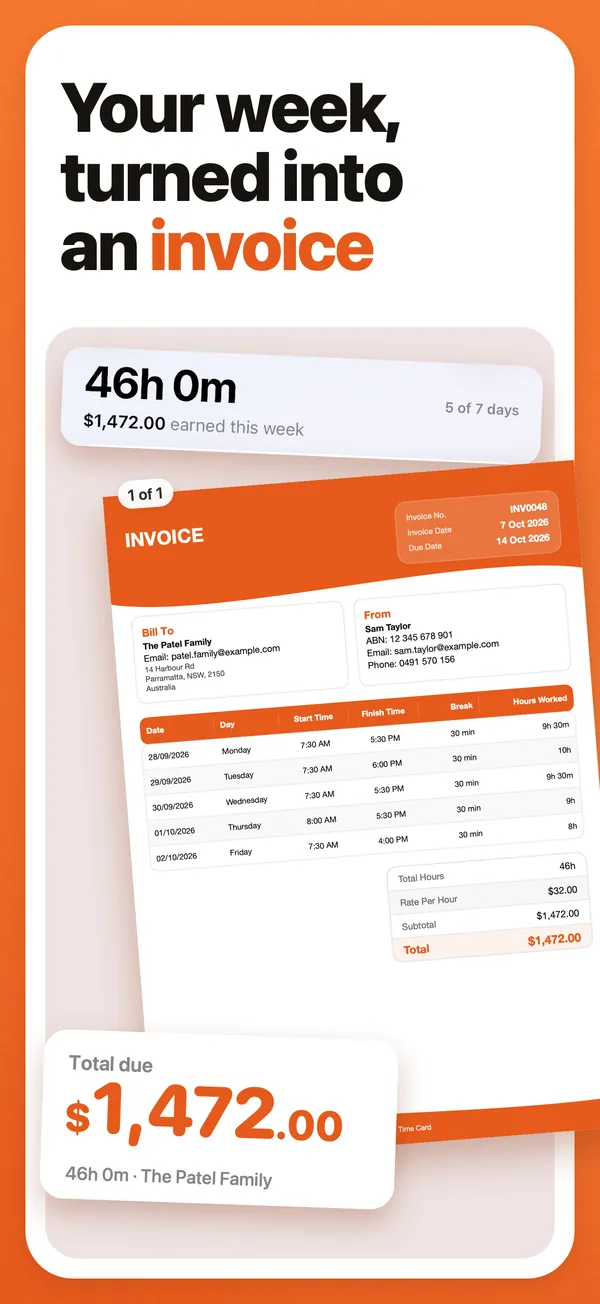
The fix is simple: log every clean on the day, against the client, at that client’s rate, and send each client an invoice from those records. Time Card, our app, does exactly that.
Why cleaners use Time Card
- A rate per client. Each household or office is a client with its own hourly rate.
- Exact minutes. Start and finish to the minute, with no rounding, so a long clean is billed as a long clean.
- One invoice per client. Any week or month becomes a PDF invoice with every date, the hours, your rate and the total.
- Australian invoice details. Your business name, ABN, GST when you charge it, an invoice number, payment terms and a due date.
- Know who still owes you. Pro records each payment and shows what each client still owes.
- Private and offline. No account, and your client list stays on your phone.
Worked example: two households and an office
The figures are an example.
| Client | Cleans this month | Hours | Rate | Total |
|---|---|---|---|---|
| Household A | 4 weekly cleans | 13 h 30 min | A$45.00 | A$607.50 |
| Household B | 2 fortnightly cleans | 7 h 15 min | A$45.00 | A$326.25 |
| Office | 8 evening cleans | 18 h 40 min | A$50.00 | A$933.33 |
Each client gets its own invoice for its own total. Two clients are free in Time Card; the office makes three, which is what Pro is for.
How to do it in Time Card
- Add each client with its rate.
- After each clean, log it against that client: start, finish and any unpaid break.
- At the end of the week or month, check each client’s hours.
- Make each client’s PDF invoice and send it. When they pay, Pro can mark it as paid.
Time Card keeps the hours and makes the invoice. It doesn’t take card payments, and it isn’t accounting software: once you are lodging BAS, you’ll also want an accounting package, and Pro’s CSV export makes that easy.
Questions people ask
What is the best timesheet app for cleaners?
Time Card, if you are paid by the hour. Each client gets its own rate, each clean is logged to the minute, and any week or month becomes a PDF invoice for that client. It works offline, needs no account and is free for two clients.
Can I charge different clients different rates?
Yes. Every client in Time Card has its own hourly rate. Two clients are free; Pro adds unlimited clients, each with its own rate and currency.
Can a cleaner send an invoice from an iPhone?
Yes. Time Card turns your logged hours into a PDF invoice with your business name, ABN or tax ID, GST if you charge it, an invoice number, payment terms and a due date, and you share it straight from your phone.
Should I invoice weekly or monthly?
Whatever you agreed with the client. Weekly suits regular cleans and keeps the amounts small; monthly suits offices. Time Card can turn one week or several weeks into the invoice, so either works.
Do I need GST on a cleaning invoice in Australia?
Only if you are registered for GST. If you are, the invoice must be a tax invoice that shows your ABN and the GST; if not, you send an ordinary invoice. business.gov.au explains the rules. Time Card adds GST only when you switch it on.
More Time Card guides
- How to choose an hours tracker if you're paid by the hour
- Track casual hours and invoice families or clients in Australia, on your iPhone
- Nanny hours tracker: log your hours and send the family a weekly invoice
- Turn your hours into an invoice PDF on iPhone, without a subscription
- Keep your own time card to check your paycheck
- How to keep track of your work hours and pay on iPhone
- Free printable weekly timesheet (PDF), and an app that fills it in for you
- Subcontractor hours to a GST tax invoice for the builder, on your iPhone
- Zero-hours or shift work in the UK: log every shift and check your payslip
- Tracking work hours, pay, timesheets and invoices on iPhone: 50 questions answered
- Babysitting hours tracker: log every sit and send the family what they owe
- Tutor invoice app: log your lessons and send parents a PDF invoice
- Work hours calculator with breaks