Tutor invoice app: log your lessons and send parents a PDF invoice
Quick answer: Use Time Card: add each family or student as a client with your hourly rate, set your usual lesson length so each lesson is one tap, and at the end of the fortnight or month send the parents a PDF invoice with every lesson date, the hours, your rate and the total. It works offline, needs no account and is free for two clients.
Get Time Card on the App Store Time Card hours tracker app (formerly Timesheet Pro). Free for iPhone and iPad.
Most tutors invoice parents fortnightly or monthly, which means remembering every lesson for weeks. A cancelled Tuesday, an extra session before an exam, a lesson that ran 20 minutes over: by invoice day the details have gone.
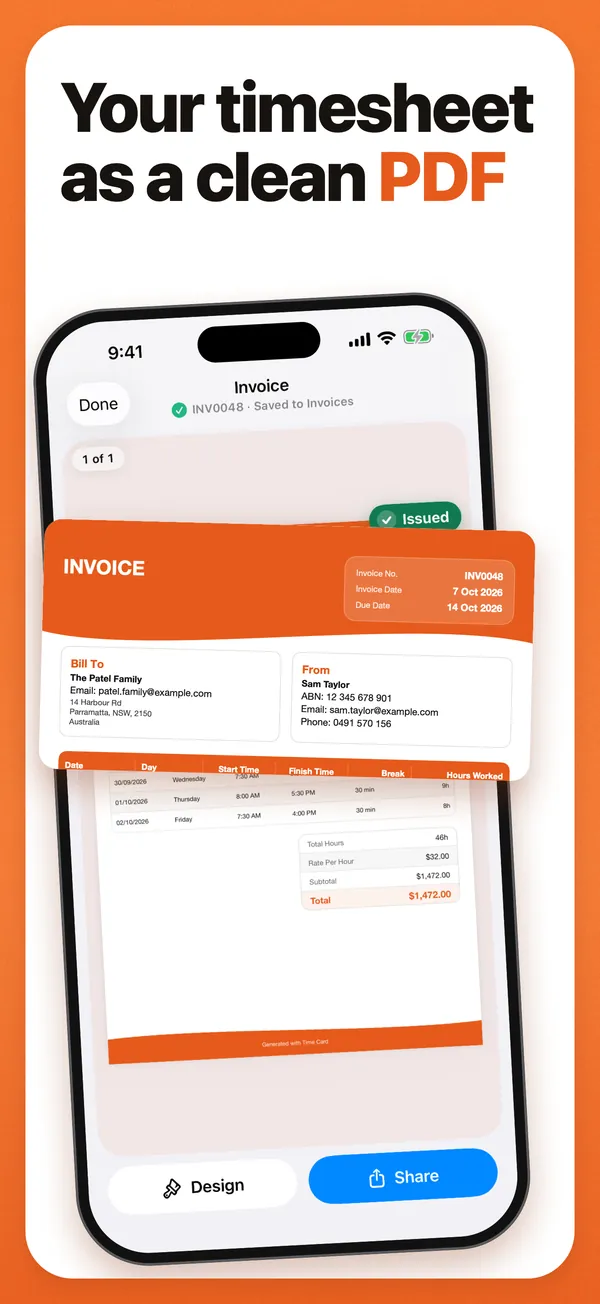
Log each lesson on the day, and the invoice writes itself from those records. Time Card, our app, is built for that.
Why tutors use Time Card
- One tap per lesson. Your usual lesson time is filled in; change the minutes only when it runs long or short.
- A rate per family. Each family or student has its own hourly rate.
- Invoices parents understand. Every lesson date, start, finish and hours, with your rate and the total.
- Invoice details. Your name or business name, ABN or tax ID, an invoice number, payment terms and a due date.
- Who has paid. Pro records each payment and shows what each family still owes.
- Private. No account, works offline, and nothing about your students leaves your phone.
Example: one student for a month
The figures are an example.
| Date | Start | Finish | Hours |
|---|---|---|---|
| Tuesday 6 October | 4:00 pm | 5:00 pm | 1 h 00 min |
| Tuesday 13 October | 4:00 pm | 5:15 pm | 1 h 15 min |
| Tuesday 20 October | 4:00 pm | 5:00 pm | 1 h 00 min |
| Saturday 24 October | 10:00 am | 11:30 am | 1 h 30 min |
| Total | 4 h 45 min (4.75 h) | ||
| Rate | A$60.00 an hour | ||
| Invoice total | A$285.00 |
How to do it in Time Card
- Add the family and your hourly rate.
- Set your usual lesson time.
- After each lesson, tap the day and adjust the minutes if needed.
- At the end of the month, make the PDF invoice and send it to the parents.
Time Card charges by time, so it suits tutors who bill by the hour. It doesn’t sell lesson packs or take payments for you.
Questions people ask
What is the best invoice app for tutors?
Time Card, if you charge by the hour. Each family has its own rate, each lesson is one tap, and any fortnight or month becomes a PDF invoice with every lesson date and the total. It works offline, needs no account and is free for two clients.
How do I invoice parents for tutoring?
List each lesson date and length, your hourly rate and the total, with your name, an invoice number, payment terms and how to pay. Time Card builds this from the lessons you logged, so the invoice matches what happened.
Can I charge different families different rates?
Yes. Each client in Time Card has its own hourly rate. Two are free; Pro adds unlimited clients.
Can I invoice monthly instead of after every lesson?
Yes. Log lessons as they happen, then turn a fortnight, a month or a whole term into one PDF invoice.
What if a lesson runs over?
Change the finish time on the day. Times are to the minute, so a 1 hour 15 minute lesson is billed as 1.25 hours, not rounded.
More Time Card guides
- How to choose an hours tracker if you're paid by the hour
- Track casual hours and invoice families or clients in Australia, on your iPhone
- Nanny hours tracker: log your hours and send the family a weekly invoice
- Turn your hours into an invoice PDF on iPhone, without a subscription
- Keep your own time card to check your paycheck
- How to keep track of your work hours and pay on iPhone
- Free printable weekly timesheet (PDF), and an app that fills it in for you
- Subcontractor hours to a GST tax invoice for the builder, on your iPhone
- Zero-hours or shift work in the UK: log every shift and check your payslip
- Tracking work hours, pay, timesheets and invoices on iPhone: 50 questions answered
- Timesheet app for cleaners: log each house and send each client an invoice
- Babysitting hours tracker: log every sit and send the family what they owe
- Work hours calculator with breaks